The Cheng Kar Shun Digital Hub
Introduction
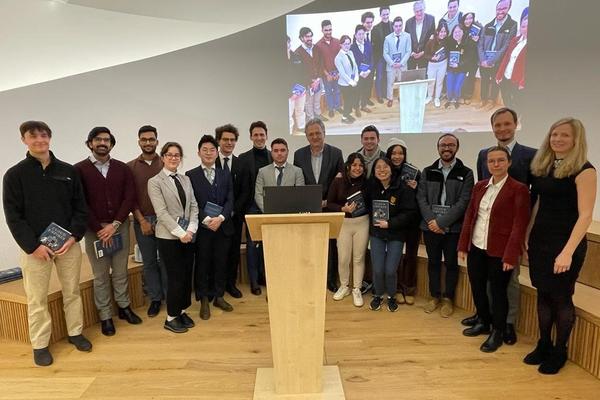
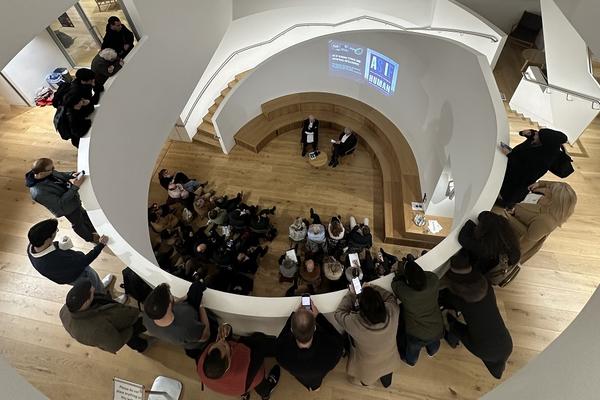
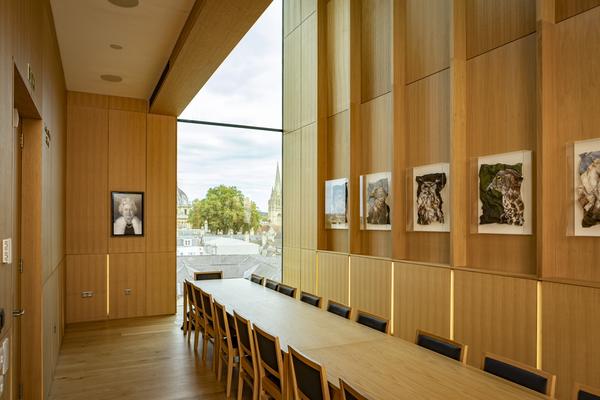
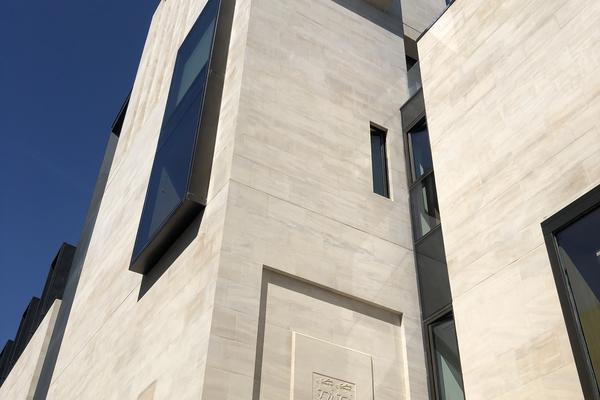
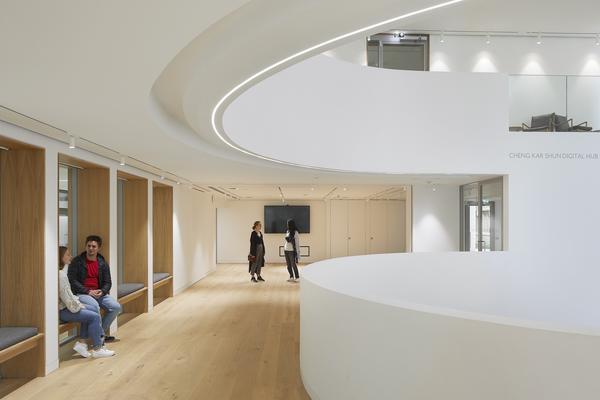
The Cheng Kar Shun Digital Hub is a multipurpose convening space that comprises a three-storey central events arena, flexible meeting spaces and breakout rooms, the SOUTHWORKS Digital Media Lab, and the Buchanan Tower Room.
On this page, you can find information on how to book the Digital Hub for your event, Hub facilities, the Digital Hub Curated programme, and the SOUTHWORKS Digital Media Lab.
If you have any questions in regards to booking the Digital Hub for a general College event, please contact the Conference team in the first instance by email to conference.office@jesus.ox.ac.uk.
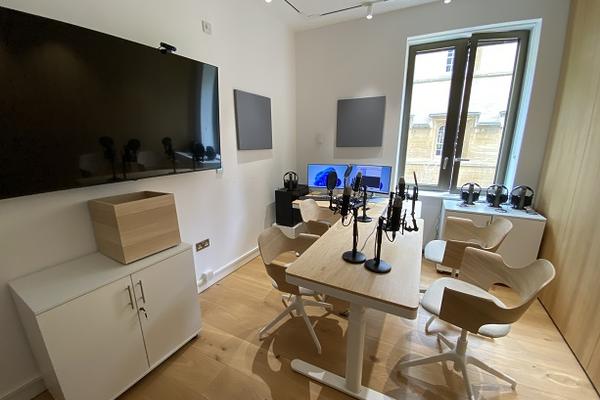
SOUTHWORKS Digital Media Lab
Event in progress
The Buchanan Tower Room
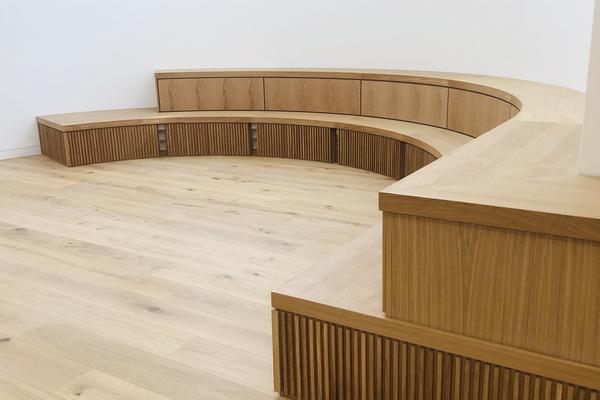
Seating in the Digital Hub
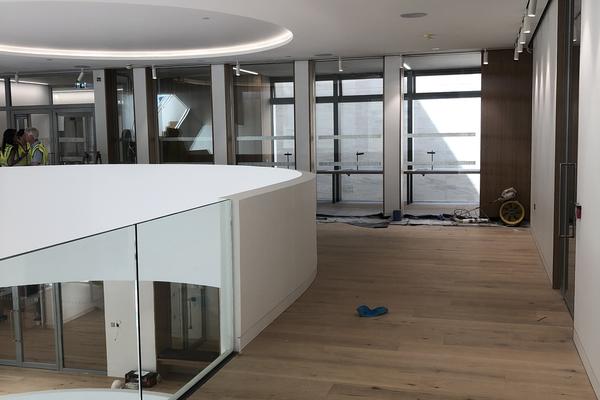
First Floor
Ground Floor convening space
Booking the Digital Hub
To book the Digital Hub for your College event, please contact the Conference Team, who will be happy to help.
conference.office@jesus.ox.ac.uk
Helpful information to have to hand when you enquire about a booking is:
- Name of event
- Potential date options for event
- Time of event
- Audience
- Number of seats
- Catering requirements
- AV requirements
To book the Digital Hub for your College event, please contact the Conference Team, who will be happy to help.
conference.office@jesus.ox.ac.uk
Helpful information to have to hand when you enquire about a booking is:
- Name of event
- Potential date options for event
- Time of event
- Audience
- Number of seats
- Catering requirements
- AV requirements
Information to follow.
This section provides guidance on appropriate use of the Cheng Kar Shun Digital Hub by members of the College
- Casual use of the Digital Hub
- Signs and barriers will be in place at various entrance points to guide you on whether it is possible to enter the Digital Hub. However, sometimes events or meetings might be in progress without clear signage. If you have not booked the space, please check with the Lodge or Conference Team first as to whether the venue is in use before entering the space.
- Please do not move rope barriers or take down signs that are there to guide the community.
- The Digital Hub should not be used as a study, work, or informal gathering space unless booked in advance. Meetings or events might be in progress, so please do not use the venue to take virtual meeting calls or listen to music et cetera, especially on the First Floor, as this is audible in the rest of the venue.
- The Digital Hub main space should not be used as a thoroughfare to get to the Study Spaces or bathrooms on the First Floor. The sound of the doors and fobs are audible across the venue, and disruptive during events or meetings. Other access routes are available, and alternative bathrooms are located near the Study Spaces on the First Floor.
- No access is permitted to the Digital Hub from the First Floor and Ground Floor Study Spaces when an event is in preparation or in progress. Any infringements will be reported to the Dean.
- Furniture must not be moved unless you have booked the space.
- All areas of the Digital Hub should be left in a clean and tidy state after use.
- Tours of the Digital Hub
- Please enquire in advance about touring the venue for event preparation wherever possible.
- Please refrain from conducting impromptu tours of the building while an event is in preparation or in progress, unless this has been agreed in advance with the Conference Team, DH Fellow, or the event organiser.
- Adjacent Study Spaces on the Ground Floor and First Floor
- Adjacent spaces, especially the Study Spaces, are for studying and working only. Please refrain from using these as a social gathering space or sleeping space. Food and drinks are not permitted, and all rubbish should be cleared after use.
- Please do not leave your belongings in the Ground Floor Study Space when you are not present, as this space is regularly used by attendees to access the bathrooms during events.
- On occasion, the Ground Floor Study Space will be closed for the duration of an event. Students will be notified in advance via email, and via signage displayed in the space. Please respect the closure, and be courteous to staff reminding you of any such closure.
- Due to the nature of the Digital Hub Programme events schedule, and our aim to be as inclusive as possible for a range of activities in the Digital Hub, sound levels might occasionally impact the First Floor Study Space. Should anyone find the sound levels in the First Floor Study Space uncomfortable on these rare occasions, alternative spaces are available in the Cheng Café, the Library, JCR Conservatory, Graduates Study Area, or private study areas. There are also bookable rooms, such as Seminar Rooms A & B, which can be reserved via the online room booking portal.
Information to follow.
Applying to be part of the Digital Hub Curated Programme
The Digital Hub Curated Programme is a dedicated term time events programme designed to bring together the brightest minds, and the curious, to discover, explore, use and benefit from the latest advances in digital technologies. The programme offers a wide range of interactive events, talks, workshops and performances led by Jesus researchers and collaborators, that aim to demystify the digital age. It enables students to learn new digital skills, and shines a light on how advances in digital technologies are transforming our understanding of the past, allowing us to question the present, and define the future.The programme is led by the SOUTHWORKS Fellow for the Digital Hub, Dr Janina Schupp, and a small team of Jesus College colleagues.
Events are carefully selected, and all College members must complete an application process before their event can be confirmed as part of the programme.To explore current and past events in the programme, visit the Programme page on the website here.
Are you interested in running an event as part of the Cheng Kar Shun Digital Hub programme? If so, we look forward to hearing from you!
Please feel free to get in touch first to discuss your initial idea with us or, alternatively, you can proceed to complete the application form below and submit it to the programme curator Dr Janina Schupp (Janina.schupp@jesus.ox.ac.uk).
The Digital Hub Curated Programme offers various forms of support depending on individual projects, from hospitality and organisational support, to venue and/or financial support (however, please do note that our funding is limited). We accept both projects with existing funding that would like extra college support and exposure, and event ideas that require seed-funding.
All proposals should demonstrate a close tie to an element of digital tools, digital media, digital data, or digital technology, and show how they align with at least one of the themes of the Digital Hub Programme:
REDISCOVERING THE PAST
QUESTIONING THE PRESENT
DEFINING THE FUTURE
Our programme covers all disciplines, and we frequently collaborate with colleagues from across the University, wider academia, industry and beyond. Examples of previously sponsored projects and events include concerts, short exhibitions, hands-on workshops, conferences, and interactive technology demonstrations. A list of our past events can be found here: www.jesus.ox.ac.uk/the-cheng-kar-shun-digital-hub/past-events-digital-hub/
All students, staff, and fellows of Jesus College are eligible to submit an event proposal. We also accept applications from outside of College.
Selected projects will be balanced between career-levels, themes and types of events, and the type of support requested.
If a project is accepted, it will be scheduled into the curated events programme, and the applicant commits to delivering the event according to the agreed timeline and budget (if applicable).
We will review applications on a rolling basis, and pause or close submissions temporarily if we have allocated all slots. Due to the volume of proposals we receive, we will (in most cases) be unable to provide feedback on the outcome of an application. Please do not hesitate to get in touch if you have any questions while filling out this form or would like to discuss details together first.
- Can I apply with an existing research project/company/group? Yes, we accept ideas that are at maturity and already have ongoing activities.
- Can I apply with just an idea and/or by myself? Yes, we accept applications from individuals who have a strong idea for a project.
- Can I suggest a guest speaker or partial idea? While we are open to, for example, listening to high-profile speaker suggestions for talks, proposals that focus on a singular keynote or niche event are less likely to succeed.
- What makes a strong application? Projects where the applicant has a clear idea of their timeline, a defined project/event, an understanding of their audience, and that request specific support (e.g. venue hire or hospitality support during a conference) are more likely to succeed.
- What makes a weak application? Projects that have no clearly defined link to the Digital Hub themes or are not sufficiently accessible for general audiences, are less likely to succeed.
- Am I eligible if I already have other partners/sponsors? Yes, we frequently collaborate with other organisations. Proposals that have already secured other partners demonstrate the strength of their ideas.
- Do I need to have a concrete date for the event at this stage? No, ideas that can be more flexibly scheduled are often easier to integrate into the programme and concrete dates or timeframes cannot be guaranteed until the event has been selected and booked in.
SOUTHWORKS Digital Media Lab
The following podcasting equipment is available to use in the SOUTHWORKS Digital Media Lab:
- Microphones
4 x RODE NTI Copasitor mics
4 x mic table stands
4 x mic cradles with pop filters
4 x XLR mic cables
- Headphones
4 x KRK headphones
4 x coiled headphone cables
4 x screw-fitting 1/8" - 1/4" jack converters
- Mixer
Tascam Mixcast 4 Podcast Station with built-in recorder
PSU with IEC power cable
Internal SD card
Coiled 1/8" TRRS jack cable
1/8" jack - USB C + 1/8" jack - LB converters (check drawer)
4 x 1/4" headphone jacks
4 x XLR mic cables
USB B 2.0 cable
- Computer for recording and editing
PC
Keyboard
Mouse
IEC power cable
CAT cable
2 x monitors (1 touchscreen)
2 x HDMI cables
2 x IEC power cables
USB B 3.0 cable
- Webcam to record video for podcast
Remote
Please note that all podcast equipment is built-in and must not be removed from the room.
Filming kit (portable)
The below additional kit is available in the locked cupboards.
Please note: this equipment can be removed from the room to use within Oxford but has to be returned by the end of your session. Longer borrowing times or use in other locations for specific projects can be requested by emailing tracy.ludlow@pmb.ox.ac.uk.
Please make sure to fully charge the equipment for the next user.
- 4K Camera for filming with choice of 2 lenses
- Blackmagic ( CINECAMPOCHDMFT4K ) Pocket Cinema Camera 4K (inside cupboard)
- with Panasonic ( H-FS45150EKA ) Lumix 45-150mm f/4.0-5.6 OIS lens
- and Olympus M.Zuiko Digital ED 7-14 mm F2.8 PRO Lens
- Camera accessories
- camera cage
- tripod bracket
- 4 batteries (1 in camera)
- battery charger
- PSU cable
- Cfast card
- Microphone for filming
- RØDE Videmic Pro (Shotgun mic with camera attachment and cable) with extra pole for boom operator
- Tripod
Manfrotto ( MAN-MVK502AM-1 ) KIT VIDEO TELESCOPIC TWIN LEG
- Mobile sound recorder
- Tascam recorder
- Lighting kit
- 4 Lights (2 per case)
- 4 blinders
- 4 PSUs with clover power cables
- 4 lighting stands
- 2 light diffusers (on the wall mounts)
- coloured gels and clamps
- Green Screen
- Card reader for memory cards
- Clapper board with pens
The following documents give you guidance on how to use the filmmaking equipment in the Digital Media Lab
Using the video microphone with the camera
The opening hours of the SDML are 07.00-23.00
- College members must use the College room booking system on the intranet to book podcast recording slots. Scroll down room listing to CB Digital Media Lab, click and and complete form.
- On the intranet, when the SDML is booked, the adjoining room is automatically booked out too.
- To use the room, members must collect the SDML fob form the Lodge and sign it out. The fob will give access to the outer and inner doors of the SDML.
- Users must also sign the fob back in at the Lodge as soon as possible after their allocates session is finished - especially as there may be another booking immediately after theirs.
- When welcoming other college members or guests to the SDML, the fob holder will enable access to the space. The fob holder must remian in the room at all times during a recording session.
An SDML User Guide is available to help you use the podcast equipment. You can read and print it here.
If you have any questions, please contact the Digital Hub AV Technician, Tracy Ludlow, at tracy.ludlow@pmb.ox.ac.uk
DURING RECORDING
- A red ‘Recording’ light outside of the SDML entrance can be activated to make other building users aware that a recording is in process. The switch is on the wall to the right of the door in the SDML.
- Users must download their recording/s to their own digital device or USB stick at the end of their session, as the SDML hard drive will be wiped at the end of each week for GDPR purposes.
- For the purposes of podcasting, the dividing wall to the adjoining room must not be moved at any time. The dividing wall acts as a sound insulator between the SDML and the rest of the building, and helps to dampen acoustics in the space.
- Users are reminded that the SDML is part of a working building, with student accommodation above, and to take this in to consideration when using the space.
AFTER RECORDING
- Once you have completed your podcast, make sure to download your recording.
- Please tidy up the space so it is as you found it on arrival, including placing any rubbish in the bin provided.
- Turn off the recording light and ensure the door is closed properly.
- Return the SDML fob to the Lodge.
If there has been any accidental damage to a piece of equipment in the SDML, please report it immediately to Tracy Ludlow at tracy.ludlow@pmb.ox.ac.uk
Who can use the SDML?
- Members of College who do not have previous podcasting experience must take part in SDML induction training before using the space. Training takes two forms:
Individual training with Digital Hub AV Technician, Tracy Ludlow, or
Digital Hub SDML group training sessions (Hilary & Trinity 2025)
- Members of College who have previous experience of recording podcasts can book the SDML without induction training. An SDML User Guide is available in the space for reference.
- The SDML is not open to external users in the current academic year, except if the external user requests to conduct a podcast interview with a College member, for example a Fellow. In this case, it will be the College member’s responsibility to book the SDML, and sign-out (and return) the fob. The College member must remain with the external user at all times during the booking.
Booking the SDML
The opening hours of the SDML are 07:00 – 23:00.
- College members must use the College room booking system on the intranet to book podcast recording slots.
- On the intranet, when the SDML is booked, the adjoining room is automatically booked out.
- To use the room, a College member must collect the SDML fob from the Lodge and sign it out. The fob will give access to the outer and inner doors to the SDML.
- Users must also sign the fob back in at the Lodge as soon as their allocated session in the SDML is finished – especially if there is another booking immediately after theirs.
- When welcoming other College members or guests to the SDML, the fob holder will enable access to the space. The fob holder must remain in the room at all times during a recording session.
Recording in the SDML
An SDML User Guide is available in the space to help you use the podcast equipment. If you have any questions, please contact the Digital Hub AV Technician, Tracy Ludlow at tracy.ludlow@pmb.ox.ac.uk
- A red ‘Recording’ light outside of the SDML entrance can be activated to make other building users aware that a recording is in process. The switch is on the wall to the right of the door in the SDML.
- Users must download their recording/s to their own digital device or USB stick at the end of their session, as the SDML hard drive will be wiped at the end of each week for GDPR purposes.
- For the purposes of podcasting, the dividing wall to the adjoining room must not be moved at any time. The dividing wall acts as a sound insulator between the SDML and the rest of the building, and helps to dampen acoustics in the space.
- Users are reminded that the SDML is part of a working building, with student accommodation above, and to take this in to consideration when using the space.
After your recording session is finished
- Once you have completed your podcast, make sure to download your recording.
- Please tidy up the space so it is as you found it on arrival, including placing any rubbish in the bin provided.
- Turn off the recording light and ensure the door is closed properly.
- Return the SDML fob to the Lodge.
- If there has been any accidental damage to a piece of equipment in the SDML, please report it immediately to Tracy Ludlow at tracy.ludlow@pmb.ox.ac.uk
Helpful websites for advice on getting started:
University of Oxford
https://help.it.ox.ac.uk/podcasting-getting-started
https://help.it.ox.ac.uk/podcasting-and-media-publishing
Others
https://www.buzzsprout.com/blog/how-to-start-a-podcast
https://www.thepodcasthost.com/planning/how-to-start-a-podcast/
https://fourthwall.com/blog/how-to-start-a-podcast-for-free
Find Oxford podcasts:
Inspiration:
https://castos.com/podcast-topics/
https://riverside.fm/blog/podcast-ideas-to-try
https://www.doofinder.com/en/statistics/podcast-ideas
Monetisation:
https://www.thepodcasthost.com/monetisation/podcast-monetisation/
https://podknows.co.uk/how-to-make-money-from-podcasts/
https://www.business-reporter.co.uk/technology/making-money-with-podcasts